
Hosting a Rust server still means the same pile of jobs: SteamCMD, a Linux box, Carbon, RCON, a firewall, a wipe plan, and a folder of plugins that only you understand. Oxide guides go stale. Facepunch force wipes. Someone always has the real console open in another window.
That is exactly why I built RustWarden, a Windows desktop app that puts SteamCMD, Rust Dedicated, Carbon, and the Warden suite on a Linux VPS, then lets you run the server from one window. Identity, players, console, wipes, and sixteen Carbon mods you can turn on or off.
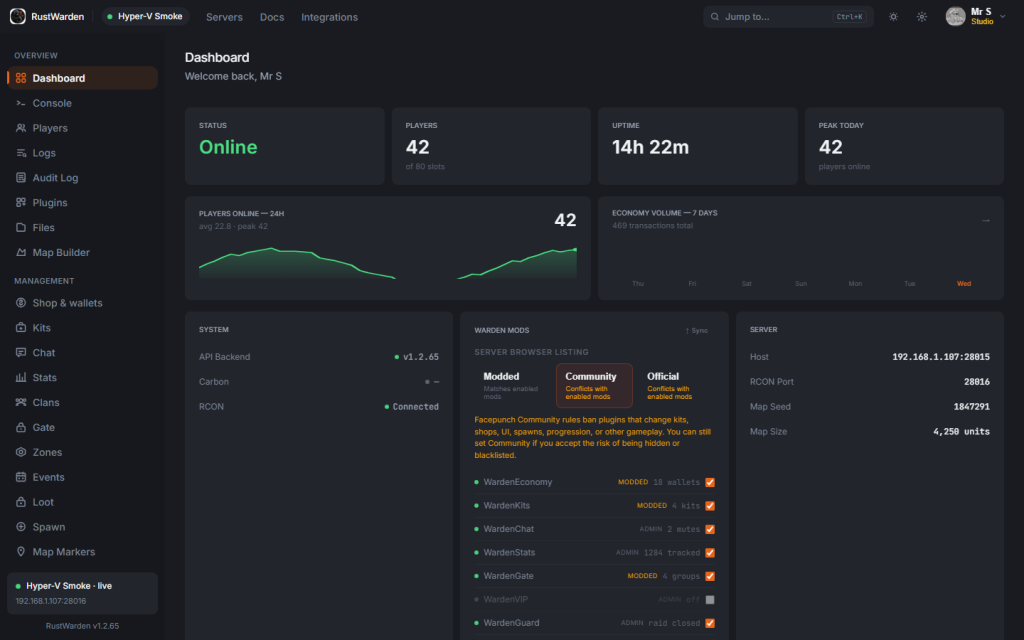
The Problem
If you have stood up a dedicated server, you already know the pattern. One SSH session for SteamCMD. Another for the process. A third-party web panel if you are lucky. A notepad of RCON commands if you are not. Kits live in one plugin, economy in another, clans in a third, and none of them share a player list.
I wanted the useful bits in a desktop app, not in a browser tab pretending to be the server. One Windows window against the box. Carbon on the host. RCON for live control. SSH when you actually need the OS.
What It Does
RustWarden is a Windows app for people who want to host Rust, first box or the fifth. From the desktop you can:
- Deploy over SSH. Deps, SteamCMD, Rust Dedicated, Carbon, WardenCore, start.sh, server.cfg, UFW, and a systemd unit.
- Attach a box you already have. Add host, RCON, and SSH. No web panel sitting between you and the dedicated process.
- Set identity. Hostname, description, logo, banner, Facepunch tags, slots, Official / Community / Modded.
- Run players. Steam avatars, playtime, kick, mute, ban, notes, full history.
- Live console. RCON, chat, joins, deaths, an admin audit trail.
- Sixteen Carbon mods. Kits, economy, clans, chat ranks, zones, stats, and the rest, on or off from the app.
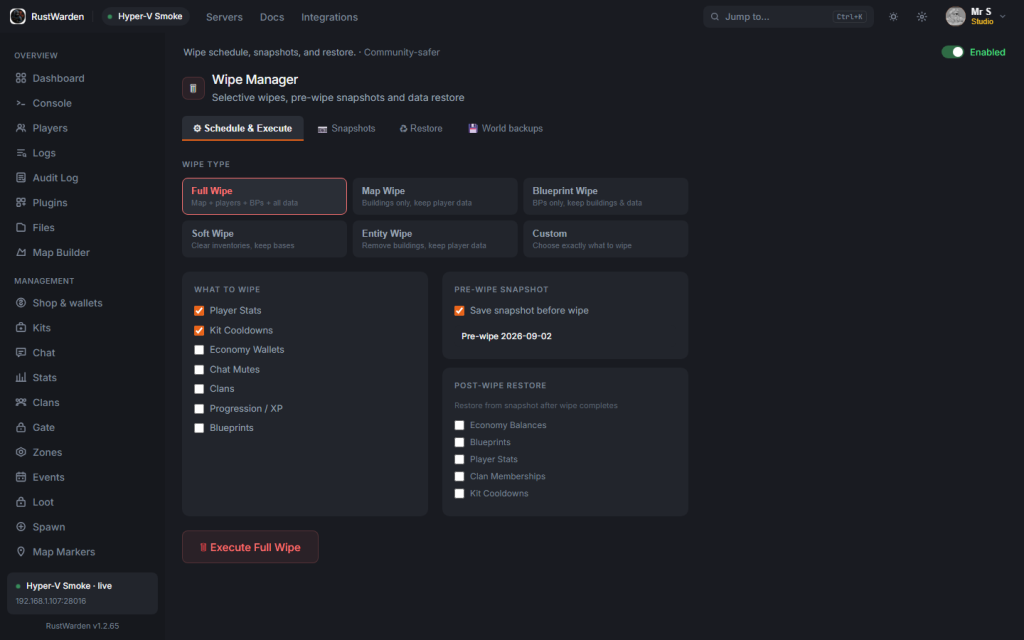
- Wipe and update. Schedule a wipe, pull a stack update, without treating the world as disposable by default.
Deploy, Do Not Babysit SteamCMD
Point Warden at a Linux VPS. The wizard installs the stack and writes the unit files. Game, query, and Rust+ ports go into UFW. You pick which mods are on before first boot. Redeploy updates the stack without wiping the map.
If the server is already running, add it. Warden talks to the live process. Kick, ban, mute, toggle mods, push identity, schedule a wipe, pull updates from the same window.
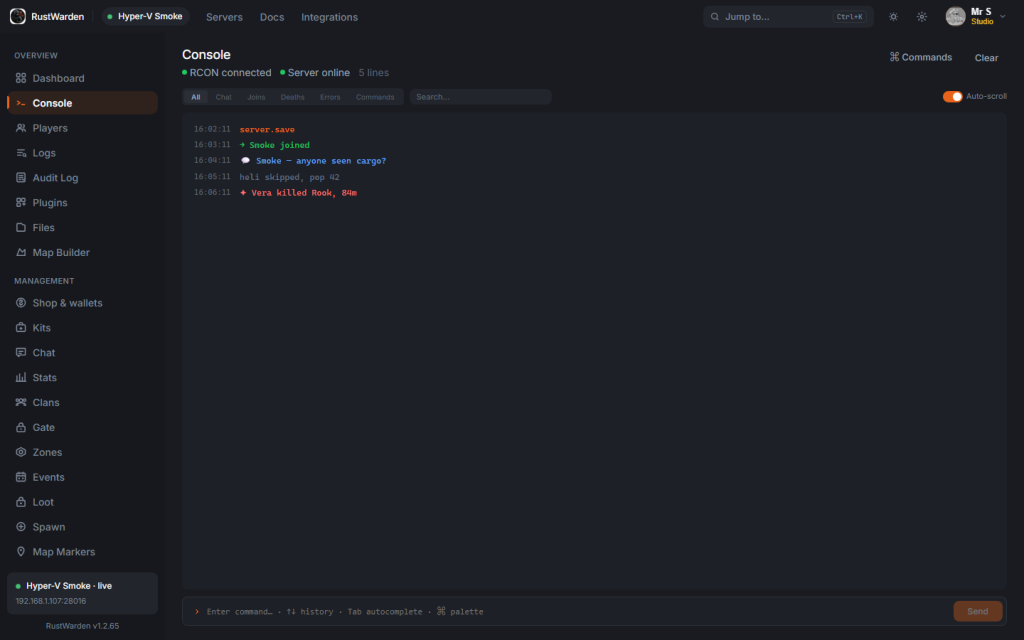
Carbon Mods, Not a Folder of Random DLLs
WardenCore plus sixteen thin plugins. Free unlocks Chat, Kits, Stats, and Zones. Pro turns the rest on from the app. The suite is protected in the plugin list so you do not delete the thing that is running the server.
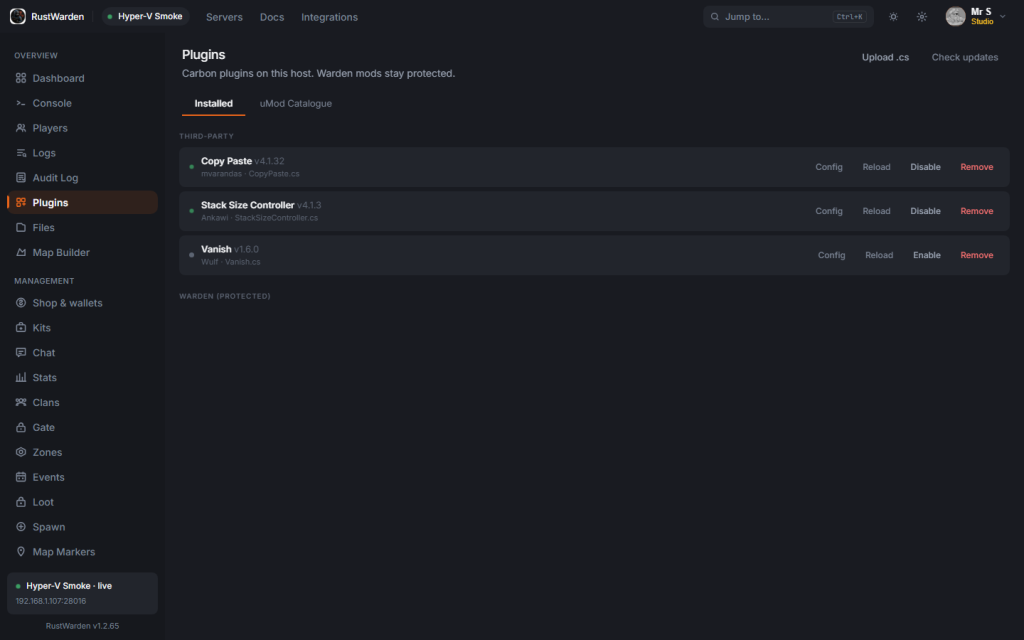
The bits people actually use look like this in the desktop:
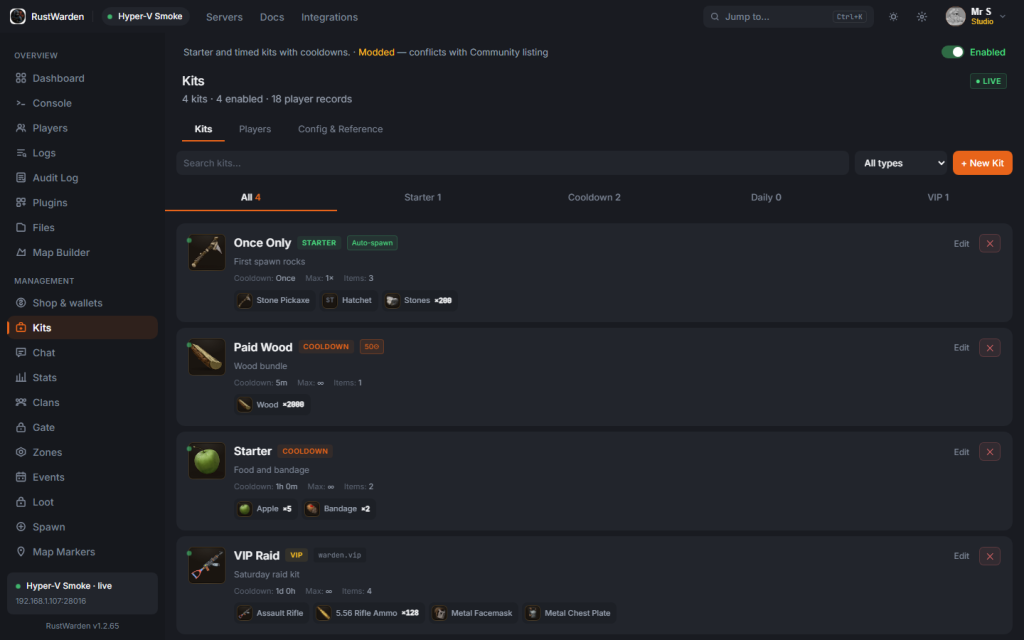
Kits: starter, cooldown, paid, and VIP loadouts, edited in the app rather than a JSON file on the box.
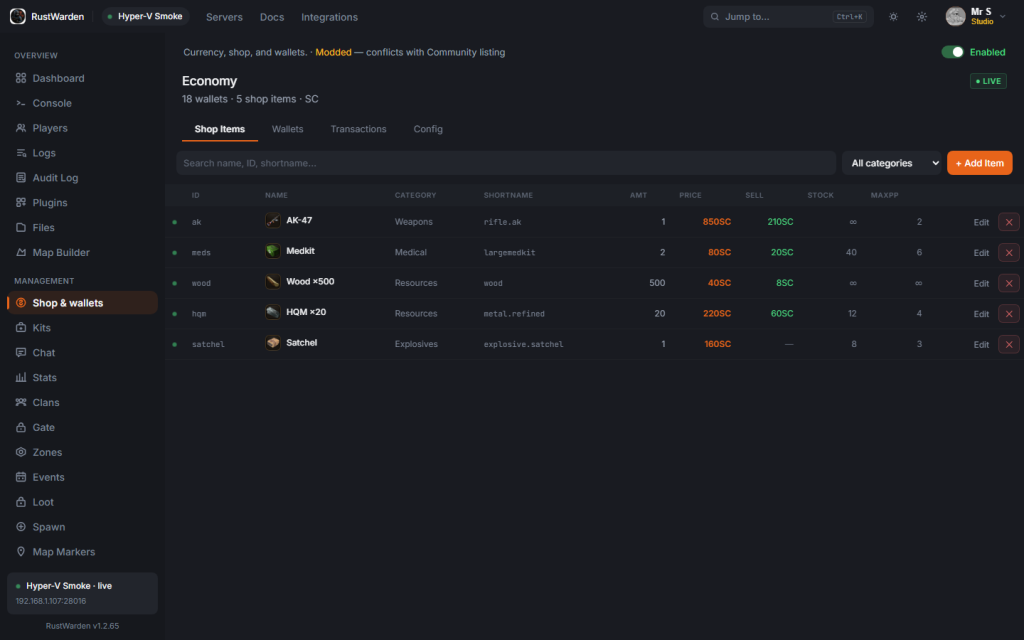
Economy: shop, wallets, scrap prices. AK, meds, wood, HQM, the usual wipe economy, without a separate admin plugin.
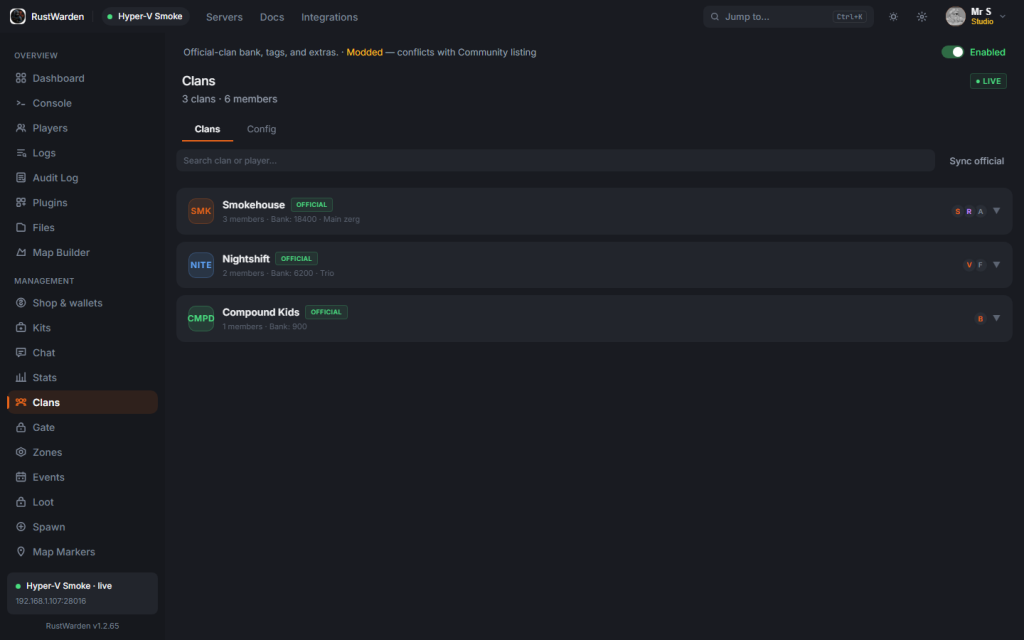
Clans: official tags, banks, member counts. Same player list as kick and ban, not a second roster.
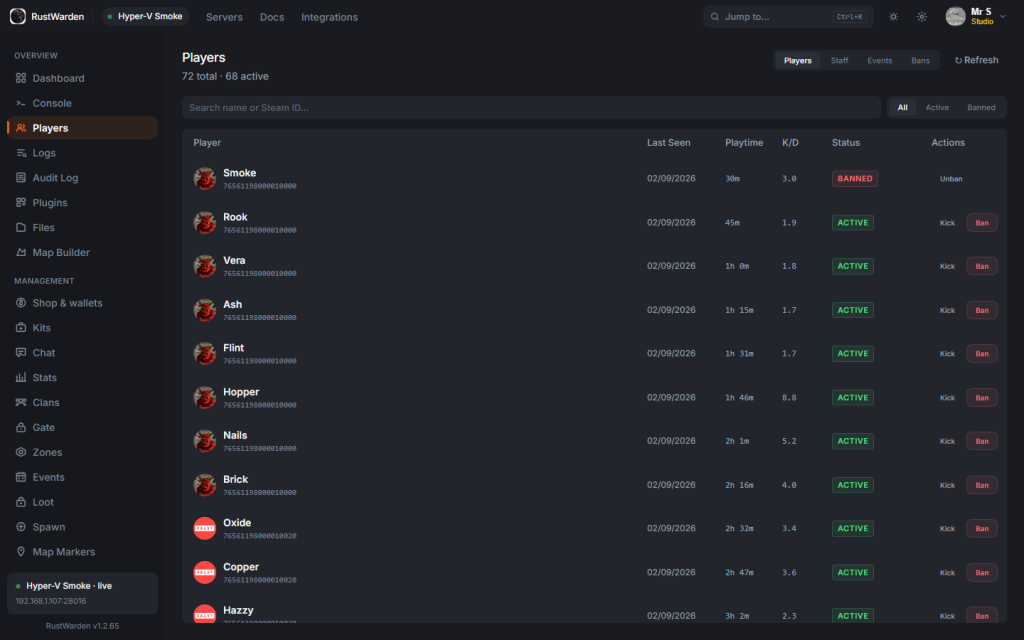
Players: Steam avatars, playtime, kick, mute, ban. The list you wish every RCON tool had.
Public and Staging Are Different Servers
Facepunch staging is a Steam branch, not a cloud environment switch. If you want a staging box, Warden treats it as a second server: own install folder, own ports, own systemd unit, same Warden backend so players, bans, and economy are not wiped just because you installed 258550 -beta staging.
It will not convert a live public folder in place. That is the whole point. Clone as staging, or create a new VPS / this-PC profile and pick Staging. Wipe on staging defaults to world and map only.
Plans
Free, Pro, and Studio. The desktop app is the product. The website is download, account, and billing at rust.simontodd.me/warden.
Getting Started
It is a Windows app. The short version:
- Download it from rust.simontodd.me/warden.
- Sign in with Steam or a licence token.
- Add a Linux VPS, this Windows PC, or an already-running host.
- Pick public or Facepunch staging. Deploy. Join.
Windows 10 and 11. Current build is v1.2.66. That is it. No browser panel to babysit, no Oxide install guide to keep honest.
Why Build It
Same reason I built Rust Companion. The existing options were a mash of SSH, a web panel, and a plugin pack that wanted to be the whole server. I wanted one desktop app that does the job: put Rust on a box, then let you run it.
So I built it.
Try It
If you host Rust and you are tired of juggling SteamCMD and three admin tools, grab it from rust.simontodd.me/warden.
Questions, or a mod you want in the suite that is not there yet: get in touch.