After years of cobbling together various newsletter plugins, email marketing integrations, and tracking scripts, I finally built the solution I actually needed. SimonTodd Connect is a lightweight WordPress plugin that brings together Sendwise (our email marketing platform) and Mautic marketing automation into a single, cohesive system.
Why I Built This
Like many developers, I’d been using a patchwork of tools to handle email marketing. A form plugin here, a tracking pixel there, manual integrations everywhere. It worked, but it was fragile and time-consuming to maintain.
What I really wanted was something that would:
- Connect to Sendwise without fuss
- Integrate Mautic for proper marketing automation and lead scoring
- Work seamlessly with my WordPress themes
- Stay out of my way until I needed it
So I built it.
What SimonTodd Connect Does
At its core, the plugin handles two things: email list subscriptions via Sendwise and contact tracking via Mautic. But the magic is in how they work together.
Sendwise Integration
Connect your Sendwise account with your API credentials, and you’re away. The plugin provides shortcodes and template functions to drop newsletter forms anywhere on your site. Forms handle everything via AJAX—no page refreshes, proper validation, and sensible error messages.
You can select which mailing list subscribers go to, and the integration respects all your Sendwise settings for double opt-in, welcome emails, and the rest.
Mautic Marketing Automation
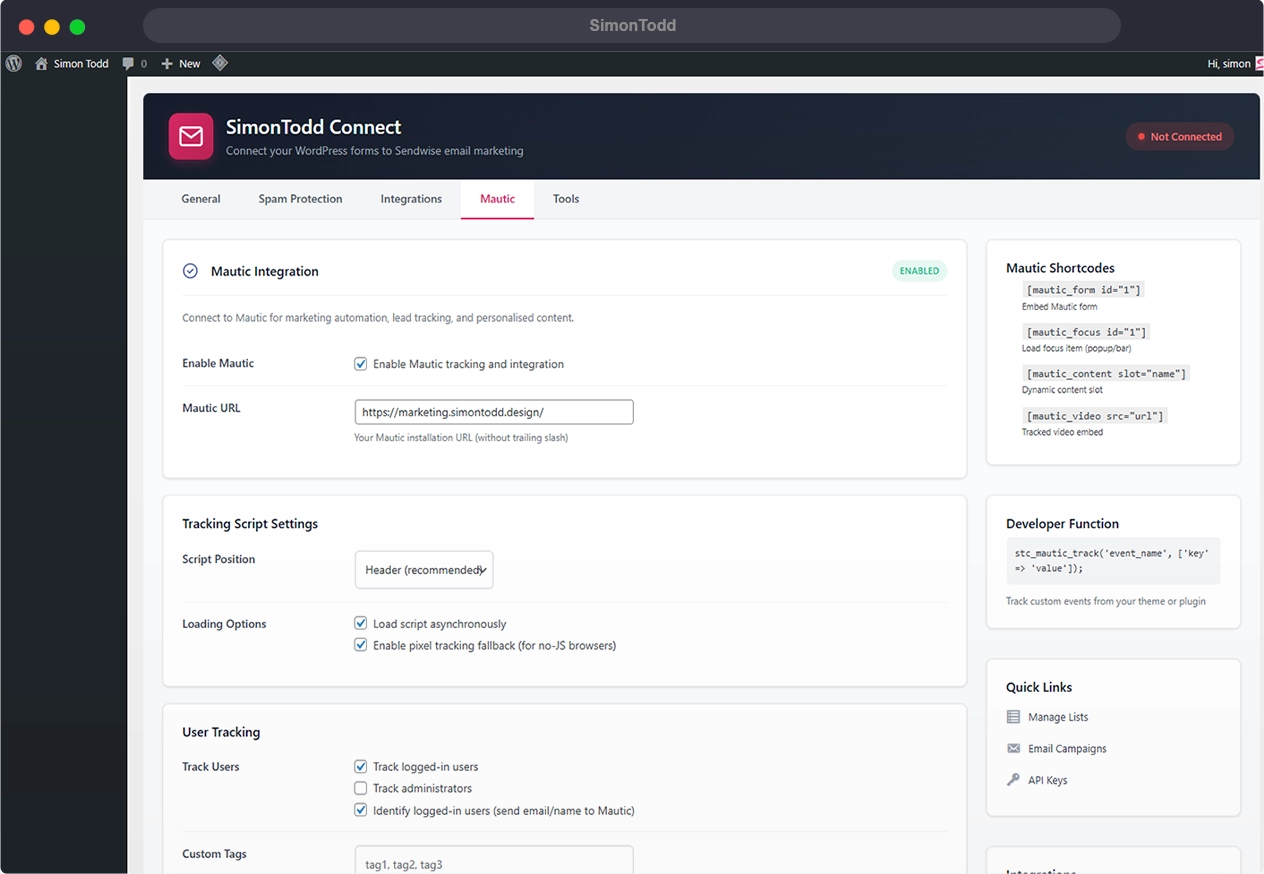
This is where things get interesting. Enable Mautic tracking and the plugin automatically:
- Loads the Mautic tracking script on every page
- Tags contacts based on pages they visit
- Creates contacts from form submissions
- Syncs newsletter signups to your Mautic instance
The real power is combining both. Someone signs up for your newsletter? They’re added to your Sendwise list and created as a Mautic contact with appropriate tags. Now you can score leads, trigger automations, and actually understand your audience’s journey through your site.
Theme Integration
I’ve updated both the simontodd.design theme and my personal simontodd.me theme to work natively with SimonTodd Connect. The themes include:
- Customiser settings to choose your service (Sendwise, Mautic, or both)
- Newsletter sections that appear automatically when configured
- Contact forms that create Mautic contacts with service interest tags
- Page-level tracking tags for visitor behaviour analysis
Everything degrades gracefully. If the plugin isn’t installed, the themes work fine—you just won’t have the marketing features.
The Technical Bits
For those who care about the implementation:
Namespace: Everything uses the STCONN_ prefix to avoid conflicts

AJAX Handlers: Forms submit without page refresh

Shortcodes: [stc_form] and [stc_inline] for flexible placement

Template Functions: stc() helper for theme developers

Backward Compatible: Still supports legacy function calls
The plugin stores credentials securely using WordPress options and validates all API connections before saving. There’s a status dashboard showing connection health at a glance.
Getting Started
Installation is straightforward:
- Upload the plugin via WordPress admin
- Go to Settings → SimonTodd Connect
- Enter your Sendwise API URL and key
- Optionally enable Mautic with your instance URL
- Select your default mailing list
- Done
If you’re using one of my themes, head to the Customiser and you’ll find new Newsletter settings where you can toggle features on or off and customise the display text.
What’s Next
This is version 1.0.0, and I’m already planning improvements:
- Segment selection for Mautic contacts
- Form builder with drag-and-drop fields
- A/B testing for form variations
- Dashboard analytics widget
- WooCommerce integration for purchase tracking
For now, it does exactly what I need: reliable email capture and proper marketing automation without the bloat of enterprise solutions or the limitations of SaaS platforms.
SimonTodd Connect is part of my ongoing effort to build better tools for the websites I create. If you’re looking for a WordPress developer who actually uses and refines their own tools, let’s talk about your project.