I’ve been working with PrestaShop for a while now, and one thing that’s always bugged me is how stores accumulate unused images over time. Delete a product? The images often stay behind. Update a CMS page? Old images linger. Swap out a slider? Those banners aren’t going anywhere.
On one of my client sites, I discovered over 50,000 image files taking up around 8GB of space. The actual product catalogue only needed a fraction of that. The rest was just… clutter.
The Problem
PrestaShop doesn’t have a built-in way to clean this up. There are a few modules out there, but I wanted something simple that I could run on any site without installing anything permanently. Just upload, scan, clean, delete the tool.
So I built one.
What I Made
It’s a single PHP file. You upload it to your PrestaShop root, access it in your browser, and it scans everything to find orphaned images.
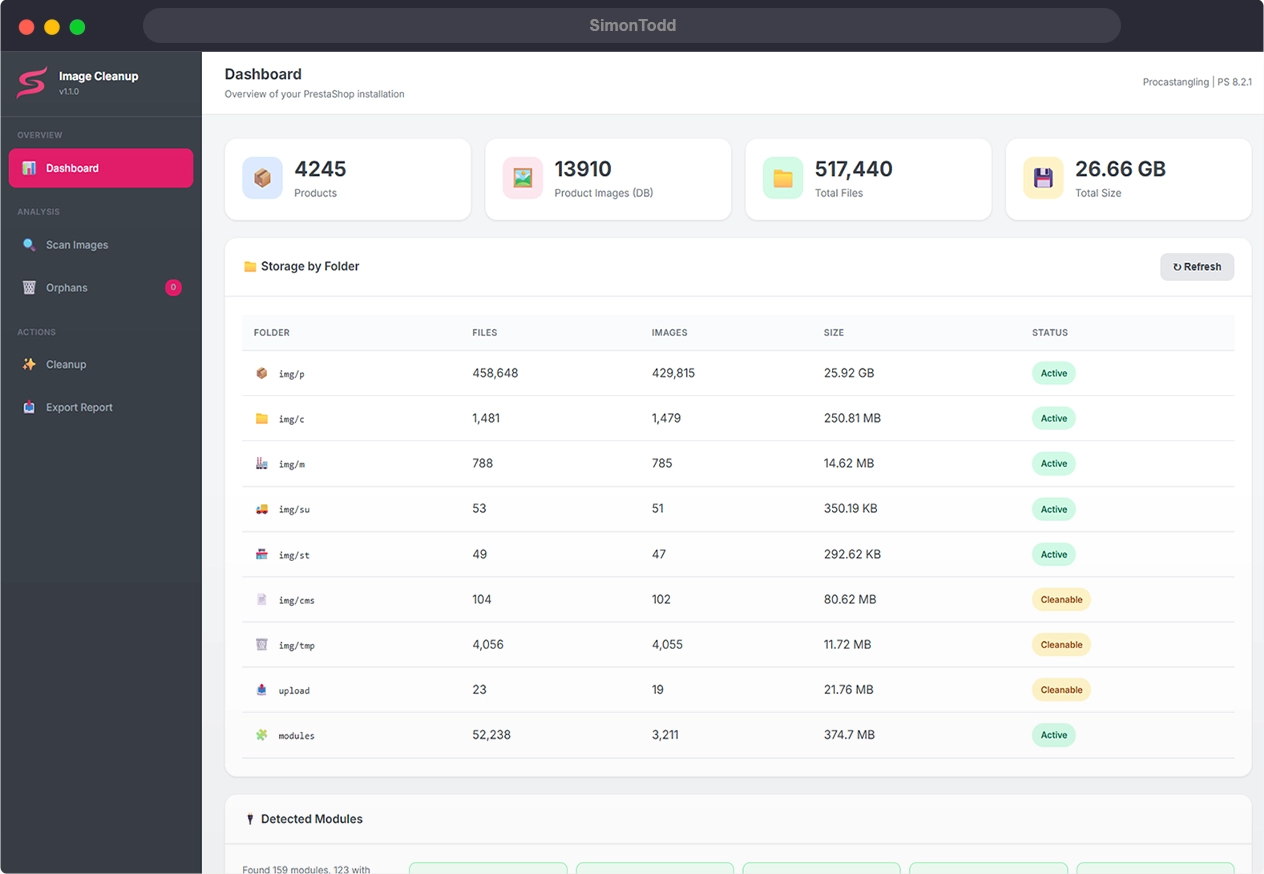
The tricky bit was making sure it doesn’t flag images that are actually in use. PrestaShop stores image references in all sorts of places — product descriptions, CMS pages, theme files, module templates, slider configurations, page builder content. Miss any of these and you’d end up deleting images that are still needed.
The tool dynamically discovers your installed modules and scans their database tables automatically. No hardcoded list that goes out of date. It just looks at what’s actually installed on your site.
How It Works
- Upload the PHP file to your site
- Change the default password (important!)
- Access it via your browser
- Run a scan
- Review what it finds
- Clean up if you’re happy
- Delete the tool when you’re done
It validates product images against your actual database records, checks category/manufacturer/supplier images, scans theme templates, and crawls through all your content fields looking for image references.
Only files that aren’t referenced anywhere get flagged as orphans.
It’s Free
I’ve put it on GitHub if anyone else finds it useful. It’s MIT licensed, so do whatever you like with it.
GitHub: PrestaShop Image Cleanup Tool
Fair warning though — always back up before deleting anything. I’ve tested it extensively on my own sites, but every PrestaShop installation is different. Better safe than sorry.
Update (v1.1.0): I’ve updated the tool to scan all database rows instead of sampling large tables. It now processes everything in batches, so it won’t miss any references even on stores with huge tables. The scan log also stays visible after completion so you can review any warnings or errors.
Results
On that 8GB site I mentioned, the tool identified around 30,000 orphaned files. After reviewing the results and running the cleanup, I freed up about 5GB of space. The site’s now much easier to back up and migrate.
If you’re running a PrestaShop store that’s been around for a few years, it might be worth a look. You’d be surprised how much cruft builds up.